
Battle Simulation
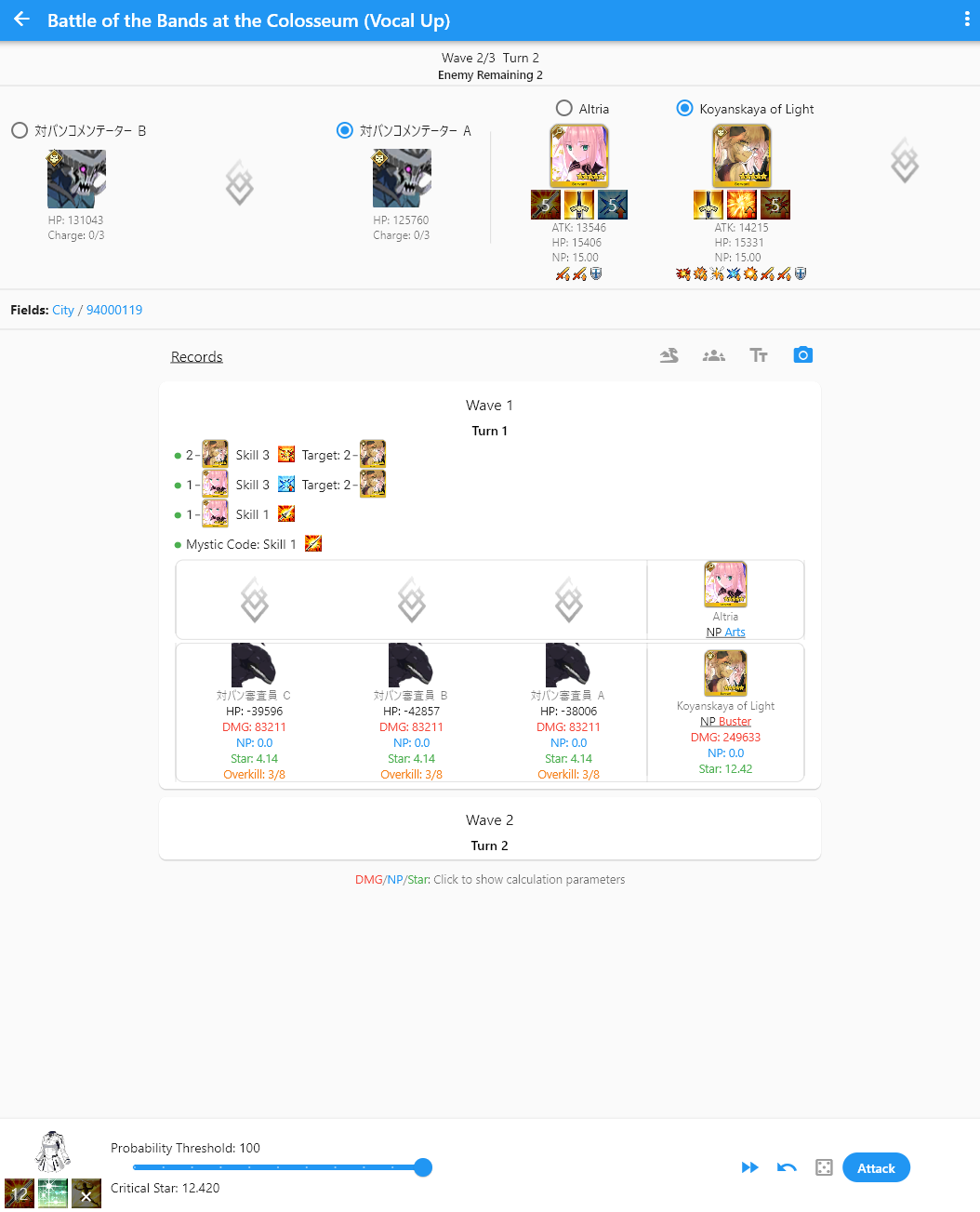
The simulation mostly behaves the same as FGO Teamup, and the backend behaves similarly to FGO Simulator but with Atlas DB data structure.
Normal Operations
- Click icons of enemy / ally to view current buff status
- Field Traits: Will include all traits including those granted by servants
- Records: Show all actions done by users including Instant Death and Damage parameters
- Click Tt to switch between verbose mode and normal mode
- Click Camera icon to save actions to PNG
- Click skill activator or DMG/NP/Star in records to check parameters and buff status at that point
Button Bars
- Mystic Code Skills
- Probability Threshold: Same as the Probability Threshold in the Team Setup page
- Critical Star: Shows the expected star count. Due to randomness in star generation in the actual game, the value may vary
>>Skip current wave: Clear all enemies in the current wave and goes to the next. Does not trigger death effects- Undo: undo the last user action
- Manual Random Value Mode (Dice Icon): All damage and probability checks will be determined by user
- Attack: Select command cards
Select Command Cards
- Clicking on NP icon when NP is below 100 will prompt to select if force NP to 100
- Clicking command card one time means normal attack (blue frame), clicking twice on the same card for critical attack (red frame)
- Random: Random value for damage calculation with range 0.900-1.099
- After 7th:
- After 7th: Allows Mighty Chain, gain 20 stars on Quick Chain, and grant first card bonus even if first card cannot be performed (stunned)
- Before 7th: Gain 10 stars on Quick Chain, and does not grant first card bonus if first card cannot be performed (stunned)
Top Right Popup Menu
- Quest: Go to detail page of current quest
- Battle Log: Check more detailed logs
- Command Spell: Release Noble Phantasm (Single target 100% NP battery)
- Command Spell: Repair Spirit Origin (Single target 100% HP Recovery)
- Reset Skill CD: Reset all skill CD of selected target to 0
- Activate Custom Skill: Includes Instant Death etc. Can be configured to be passive, active, and assign activator for Challenge quest simulation. For more information, check Custom Skills